Posts

TROUG Day'12

Image
Turkish Oracle Users Group's the largest event of this year TROUG Day'12 will be at 11th October 2012 in Bahcheshehir University / Besiktas Istambul. The event is starting with OCM, Oracle ACE Director, DBA of the Year 2011 -   Syed Jaffar Hussain 's "Keynote :  Oracle High Availability 11g New Features"  speech.  Event will continue with two parallel sessions for  DBAs  and Developer.  I will be attended to TROUG Day'12  and my session will be at 14:45 - 15:30 and I will speak about "Heterogenous Data Guard Configurations".        I am very glad that there will be an opportunity to meet and talk with my friends during the event. TROUG DAY'12 Agenda For more information : http://www.troug.org Regards  Mahir M. Quluzade

Oracle SQL Developer 3.2 released

Image
Oracle SQL Developer  is a free integrated development environment that simplifies the development and management of Oracle Database. SQL Developer offers complete end-to-end development of your PL/SQL applications, a worksheet for running queries and scripts, a DBA console for managing the database, a reports interface, a complete data modeling solution, and a migration platform for moving your 3rd party databases to Oracle. Oracle SQL  Developer 3.2 release on   August 20, 2012. Regards Mahir M. Quluzade

July 28 - AZEROUG II Meeting

Image
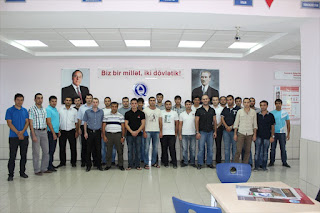
Azerbaijan Oracle User Group Members On July 28, AZEROUG's (Azerbaijan Oracle User Group) - second meeting took place. This was a technical meeting.  We are planned three speech. I, Javid Hasanov and Ramin Orujov. I spoke about Oracle Data Guard 11g concepts, new features of data guard and  mainly "Different operating systems in same Data Guard configuration".  End of the my session I showed video demo on Linux and Windows operating system on  same data guard configuration. After my speech, Javid Hasanov was speech about Oracle Resource Manager. He showed examples for testing management resources with Oracle Resource Manger .  Ramin Orujov  showed new features of Oracle PL/SQL. He showed very interesting examples on new features PL/SQL.  Mahir M. Quluzade Javid Hasanov Ramin Orujov Download my presentation   You can download all of  speakers presentations from   www.azeroug.org Regards Mahir M. Q...

Oracle Data Guard 11g – Using DBMS_DG

Oracle Database 11g  Release 1 onward new package - DBMS_DG. Package contains a procedure  INITIATE_FS_FAILOVER, yet. This procedure for using  to specify a condition string that, when encountered by an application, allows the application to request the primary database to immediately invoke a fast-start failover. Syntax DBMS_DG.INITIATE_FS_FAILOVER (condstr IN VARCHAR2) RETURN BINARY_INTEGER; condstr - parameter Specifies the condition string for which a fast-start failover should be requested. If no condition string argument is supplied, the default string of "Application Failover Requested" will be logged in the broker log file and in the database alert log of the primary database. There are conditions detectable by applications running outside of the Oracle database that may warrant the Oracle Data Guard broker to perform a fast-start failover. Because the range of possible conditions is virtually unlimited, it is left to the applications to determine...

Oracle Data Guard 11g - How to safely remove a Data Guard Broker configuration?

Image
When you need safely remove broker-managed Data Guard Configuration then, oracle recommend following steps… You know dg_broker_start parameter is TRUE and data guard configuration information contains in broker configuration files dg_broker_config_file1, dg_broker_config_file2 with broker-managed Data Guard Configuration. Following steps I use on my test machines witch is running on Oracle Virtual Box. I captures video on this machines, too. Primary and Standby Database running on Oracle Linux Server 6.2 and installed Oracle Database 11g Release 2 (11.2.0.3). DG – is my breoker-managed Data Guard configuration. admdb is primary database, stldb – is standby database. DGMGRL> show configuration Configuration - dg Protection Mode: MaxPerformance Databases: admdb - Primary database stldb - Physical standby database Fast-Start Failover: DISABLED Configuration Status: SUCCESS Archive log destinations like as SQL> show parameter log_archive_dest_ NAME ...

Azerbaijan Oracle User Group - II Meeting

I’ll be speaking at Azerbaijan Oracle User Group II Meeting on July 28th at Qafqaz University.  As expected, I’ll talk about   " Different   operating systems  in same Data Guard configuration" Here’s the speakers and subjects: Different operating systems in same Data Guard configuration -  Mahir M. Quluzade Oracle Database Resource Management  –  Javid Hasanov New Features Oracle 11g PL/SQL -    Ramin Orujov More info (In Azerbaijani) :  http://www.azeroug.org/?p=40   Waiting you to Azerbaijan Oracle User Group II  Meeting

Oracle Data Guard 11g - Overview Cascaded Redo Transport Destinations

Image
Note: To use the Oracle Data Guard cascading redo transport destination feature described in this video, you should be using Oracle Database 11g Release 2 (11.2.0.2). Releases prior to 11.2.0.2 have several limitations for this feature that are not present in release 11.2.0.2. *** We are know usually in data guard configurations standby databases receives primary database generated redo indirectly from  primary. A cascaded redo transport destination receives primary database redo indirectly from a standby database rather than directly from a primary database. A standby database that cascades primary database redo to one or more cascaded destinations is known as a cascading standby database. Cascading offloads the overhead associated with performing redo transport from a primary database to a cascading standby database. A cascading standby database can cascade primary database redo to up to 30 cascaded destinations, each of which can be a physical, logical, or snap...

Heterogeneous Primary and Physical Standbys in Same Data Guard Configuration

Image
I read My Oracle Support note “Data Guard Support for Heterogeneous Primary and Physical Standbys in Same Data Guard Configuration [ID 413484.1]” . I made decision that let me check this.Then I have create two virtual machines with Oracle Virtual Box. Witch is a virtual machine OS Oracle Linux server 6.2 (x86_64) and a Virtual Machine with OS Microsoft Windows 2008 Server R2 (x64) . Installed Oracle Database 11g Release 2 (11.2.0.3) both server, and a database (ADMDB) is created on first server. I used RMAN Duplicate command for creation of standby database and after creation of standby  database used D ata G uard M ana g e r Command- L ine interface for creation of data guard configuration. I think about that I achieved this, this will be for all oracle database administrators very interesting. [ID 413484.1] : The simplest path when deploying Data Guard is to configure a homogeneous and symmetric primary/standby configuration.  However, it is often useful to depl...

Oracle Data Guard 11g - Overview Logical Standby Database

Image
Logical Standby  Database is one part of Oracle Database Guard. The benefits are obvious: the standby database can not only be open for reads, but it can also support additional entities such as indexes and materialized views that can be too expensive to maintain at the primary database. In addition, you can add other tables or even entire schemas to a logical standby database and have complete read-write access to those tables as they are not maintained by SQL Apply. Logical standby databases are support all role transition operations that are available in the context of a physical standby database. Creating Logical  Standby Database. For creating logical standby database we are need create a physical standby database, then convert to logical standby. I had created broker-managed configuration admdg with admdb – Primary database , admts – Physical  standby database. 1. Created Physical Standby database

Oracle Data Guard 11g – Overview Client Failover Configuration

Image
Often we are needs,client continue works on new primary without change connection settings when current primary is failed. With this video, I showed overview client failover configuration. I have showed how to continue client works after failover to on new primary database, and I showed how to enable fast start failover on oracle data guard and how to working automatic client failover. This video captured on three virtual machines, witch is created on Oracle VirtualBox, on two machines running operating system Oracle Linux Server 6.2, on a machine (client machine) running Microsoft Windows 2003 Server and I used Oracle Database 11g Release 2 (11.2.0.3) on this machines. Watch on Youtu.be : http://www.youtube.com/watch?v=VvYoz9trVnI

Oracle Data Guard 11g - Reinstate primary database after failover

Image
Most time my friends asked me, how to reinstate primary database after failover? I want answer his question with this video. My special thanks for my friends from Azerbaijan and India. YouTube link:     http://www.youtube.com/watch?v=BV-I-J0dqwU My recomendation is watch video with  720 HD quality. 

Oracle Data Guard 11g - Why force logging on primary database?

Image
With this video tutorial I showed what is effect of  no force logging on primary database. I think this video answered  "Why force  logging on primary  database ?" - question.  Video on youtube :  http://www.youtube.com/watch?v=j94N9TFG4yk If you want create data guard configuration, watch my video  http://www.mahir-quluzade.com/2012/01/overview-data-guard-configuration.html  

VirtualBox 4.1.14 Released

Image
VirtualBox 4.1.14 released. Download page

Oracle Backup and Recovery - How to restore tablespace in case of NO backup?

Image
I take full  backup with RMAN, after backup I will create tablespace and a user with default tablespace new tablespace and a table on this user schema. After those I loss new tablespace's datafile. RMAN restore datafile  without backup of this datafile. I think, this video will be  intersting for O racle DBA's. You can watch   How to restore tablespace in case of NO backup?  on youtube. Regards Mahir M. Quluzade.   

Oracle Backup and Recovery - Switch to image for Fast Recovery with RMAN

Image
I showed with this video how to backup database as copy, how to use switch to copy image for fast recovery and how to recover corrupted datafile without close database. This method using often with VLDB for fast recovery large tablespace without restore big datafile. See on YouTube :  Switch to Image for Fast Recovery with RMAN

Oracle Backup and Recovery - How to copy database manually?

Image
Often need copy of database for developers or testers. We can  copy database with RMAN or manually.  I showed with this video. How to copy database manually? See on YouTube :  How to copy database manually?

Oracle Database Administration - How to change DBID?

Image
When we clone the Oracle Database then cloned database DBID is remains same of source database DBID.  If you want change DBID then this video is will be useful for you.

Oracle Database Administration - Changed deprecated parameter on Oracle Database 11g R2

Image
What happens on start database after changed deprecated parameter on Oracle Database 11g R2 (11.2.0.1). I want show with this video this situation. YouTube :   Changed deprecated parameter on Oracle Database 11g R2

Oracle Backup and Recovery - Recovery of a droped tablespace with RMAN

Image
I showed with this video, recovery of a  droped tablespace with  Oracle Recovery Manager (RMAN). I droped my tablepace (APPDATA) and restored, recovered this droped a tablespace from RMAN backups. I  think  this video  shall be  interesting for beginner of Oracle Backup and Recovery.  Please try this on test database, if you try on production, may be you loss your critical data.      Don't try on production database See on YouTube :  Recovery of a droped tablespace with RMAN.

Oracle ASM - Migration to ASM with Oracle Enterprise Manager

Image
With this video  I showed migration of database from file  system to ASM with  Oracle Enterprise Manager. I added two subtitle caption Azerbaijani - Azerbaijan and English - English on this video. With  selecting "CC" on this video you can use this captions. I think this video  is very helpful  for who is is want migrate database to ASM. Watch on youtube :   Oracle ASM - Migration to ASM with Oracle Enterprise Manager